

Organisations
Once you have successfully signed in to your account, you will be redirected to the initial page. Only now instead of seeing the Sign In button, you will see the Dashboard button.
Clicking on the Dashboard button will open a menu to manage your organisations.
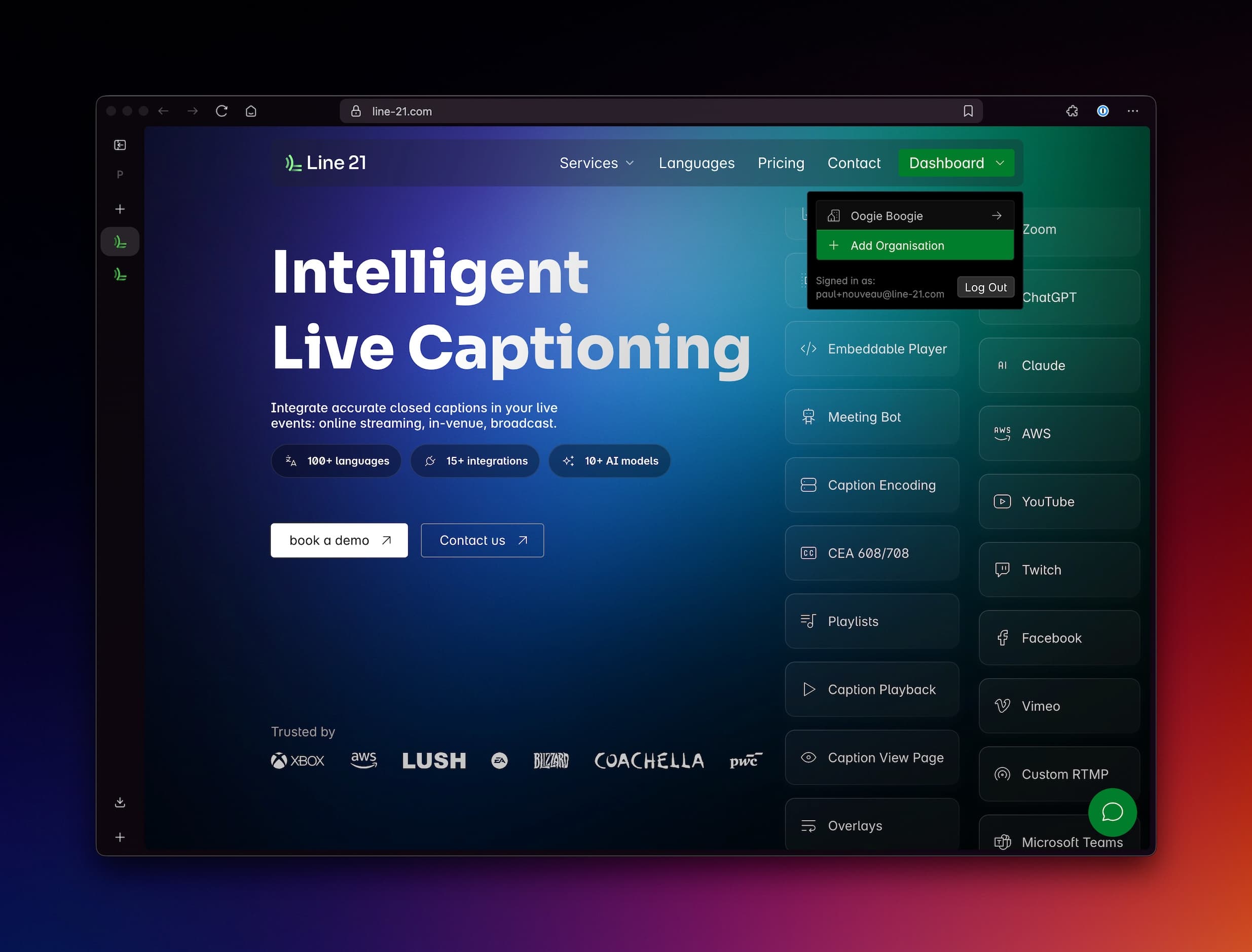
Creating an organisation
To create an organisation, click on the Add Organisation. This will open a modal where you can enter the name of the organisation and click on the Add Organisation button. Once the organisation is created, you will be redirected to the organisation's dashboard page.
Notes:
- Organisations names must be unique for the entire platform.
- Avoid using generic names like "My Organisation", "My Company", "My Team", etc. Use instead the name of the company, a brand name or any other unique name.
- You can have multiple organisations in your account.
Managing organisations
To manage your organisations, click on the Dashboard button in the top right corner of the screen. This will open a dropdown menu where you can see all your organisations. Clicking on an organisation will take you to the organisation's dashboard page.
Billing
At a glance: Registering creates a free account that allows you to test Line 21 in a limited trial mode. To upgrade to production mode, you need to provide your billing information and register a card.
The first time you choose Billing in your dashboard, you will be prompted to complete your billing setup by providing:
Billing Email: This email can be the same as your account registration or another - your invoices will be directed here.
Company Name & Address: Use the name of the legal entity (i.e. Line 21 is the name of the organisation, but the legal entity is L21 Limited).
VAT Number: Add the VAT number of the legal entity if available.
This unlocks the Billing section of your dashboard, and gives you a trial account.
Trial vs Active Modes
An organisation can be in trial or active mode.
| Feature | Trial mode | Active mode |
|---|---|---|
| Functionality | Restricted (testing only) | Full access |
| Card | - | Card & Billing required |
Billing Details & Card
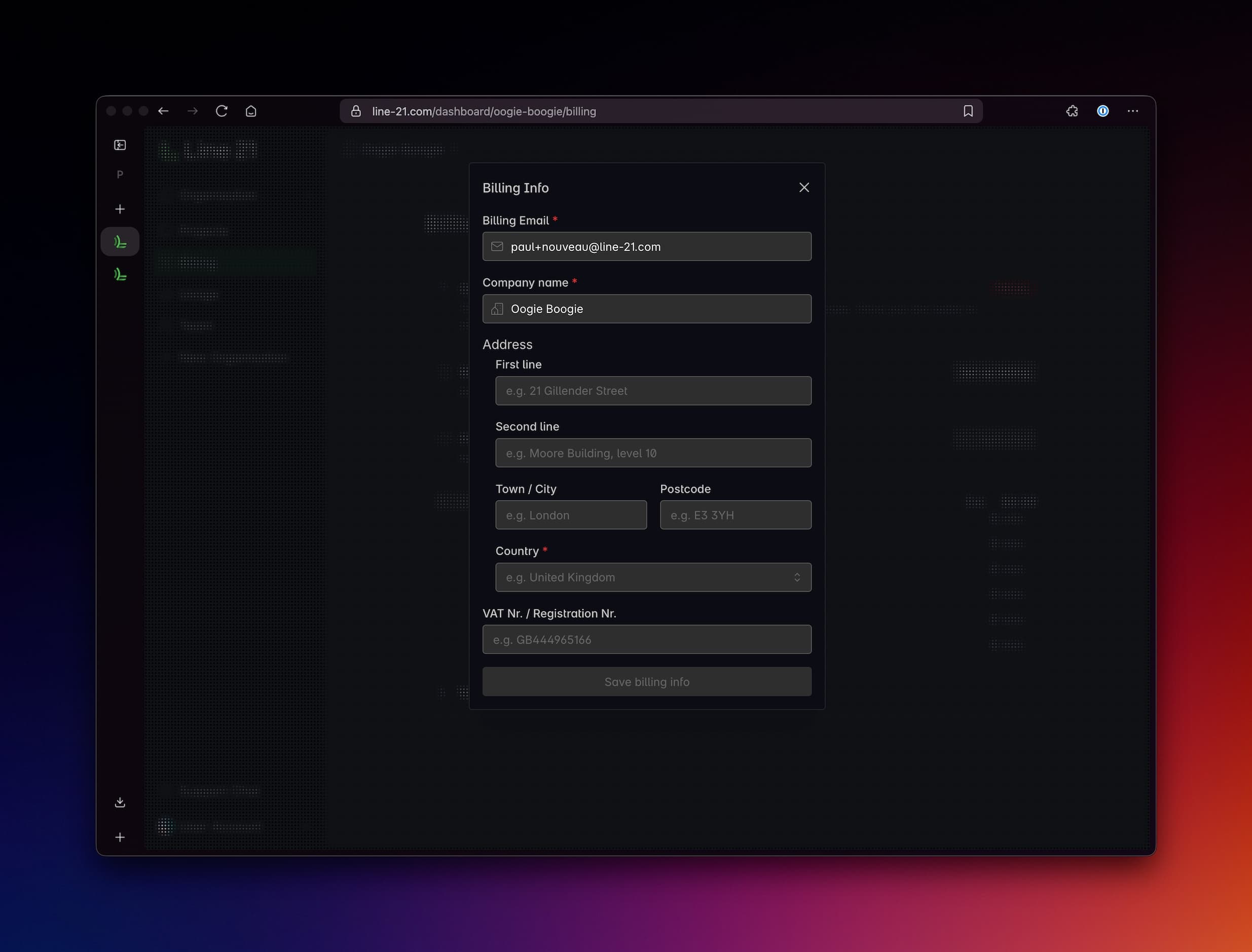
Register your card and company billing details to unlock full account access for Line 21’s platform.
Once clicked to register, the following box will pop up for your completion.
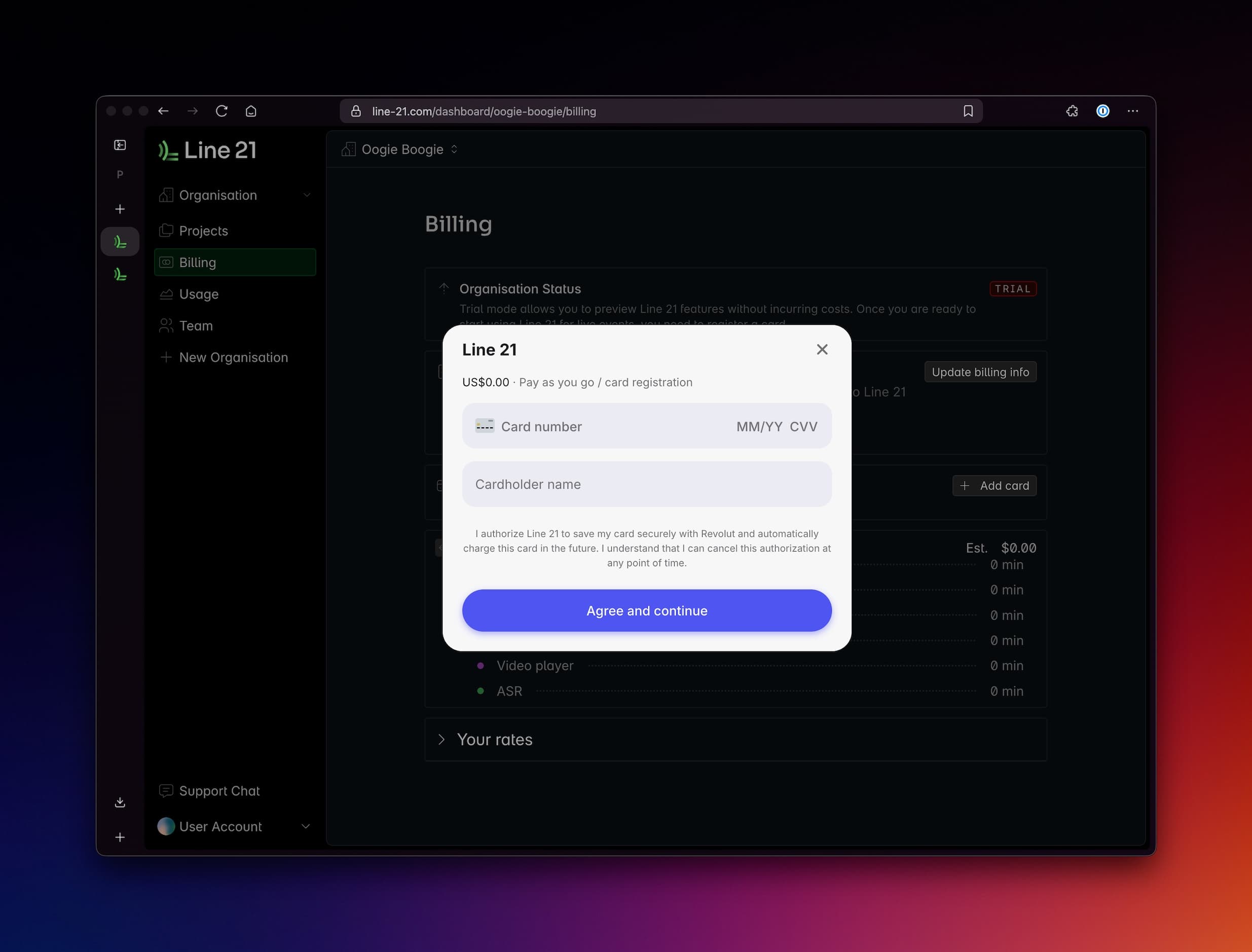
Fill in the blank fields with the necessary information. Your card will be charged $0.00 to authorise future payments.
Your account is now in active mode - and will be billed on the 2nd of every month.
Team
- You can invite other team members to your organisation.
- Each organisation has one
owner(the account that created the organisation), and all other members will be consideredmemberswith admin-level access. - You can transfer ownership of your organisation to another member at any time.
Usage
Our usage dashboard allows you to track your captioning minutes - how many, and of what type.
- Input minutes (from direct captions)
- ASR minutes
- Translations minutes
- AI proofreader minutes
- RTMP Video encoding minutes
- HLS Video player Minutes
Notes:
- This analysis is also available per project, so you can see project breakdown of overall organisation usage.
- Monthly usage is the basis for billing.