

App Overview
When to use the app
The Line 21 App is a desktop application available for all major operating systems.
It allows you to:
- Ingest audio from your computer (usually for ASR purposes)
- Produce manual captions through your preferred CART software
- Display captions on screen through a customizable overlay
Installation
Line 21 is available for Windows, MacOS, and Linux (Debian/Ubuntu or AppImage).
Windows certificate The Windows version currently has a temporary certificate issue. As a result, the operating system may show a warning during download or installation. You can safely ignore this message and proceed.
You can download the app directly from:
👉 line-21.com/resources
| OS | Download Link |
|---|---|
Windows | v0.11.2 |
MacOS | v0.11.2 |
Linux (Debian/Ubuntu) | v0.11.2 |
Linux (AppImage) | v0.11.2 |
Project Code
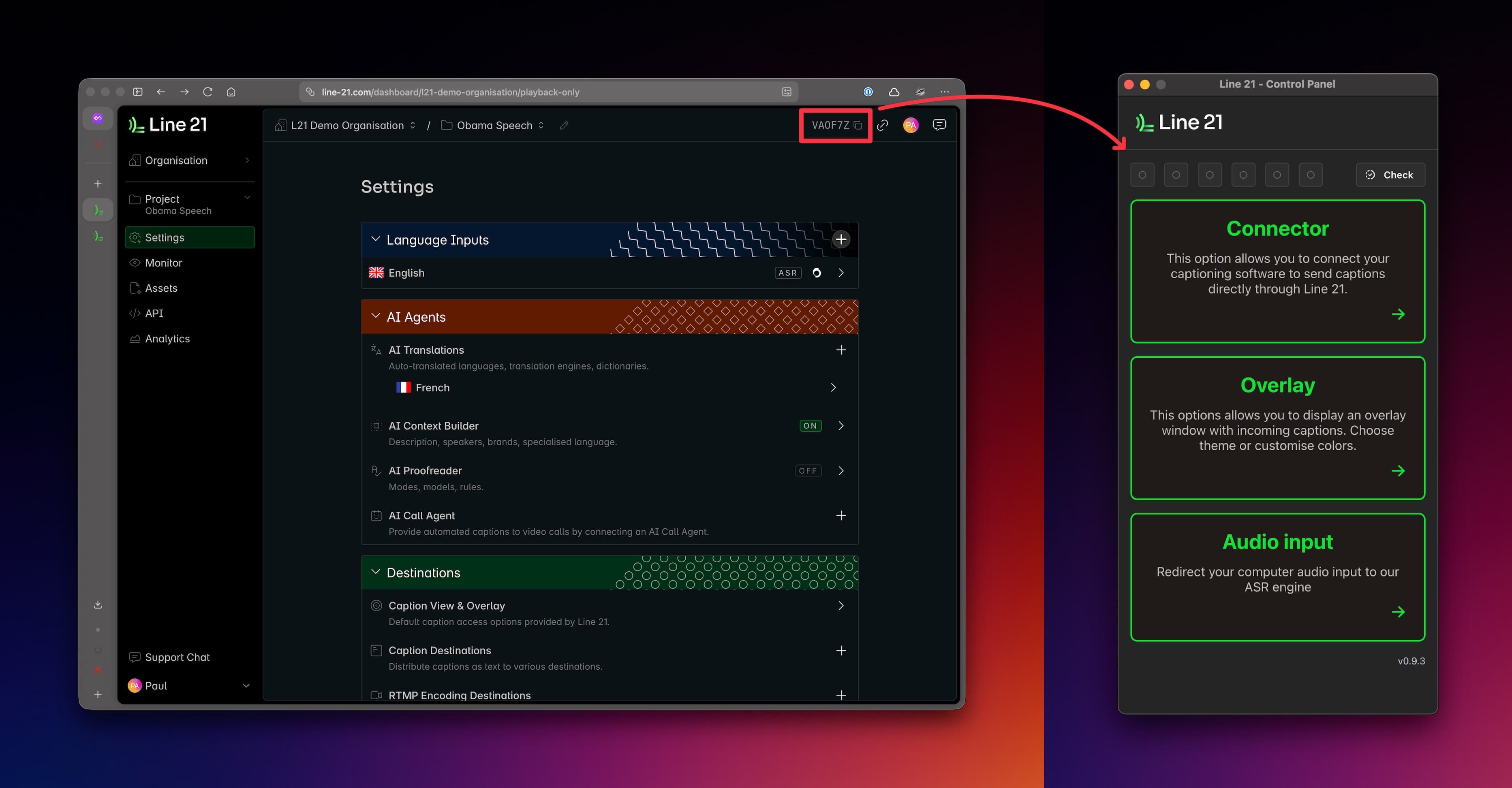
Once the application is installed and launched, you must enter the Project Code to access its features.
Every project has a unique code shown in the main project dashboard, as illustrated below:
Main Features
After entering the Project Code, the application provides access to three main features:
- CART Connector — Connect your preferred CART software and stream real-time steno input.
- Overlay — Display captions using a highly customizable on-screen overlay, suitable as a standalone display or as a video overlay.
- Direct Audio — Ingest audio directly from your system's audio devices.
Last updated: October 9, 2026 at 10:11 PM