

Languages
Languages are the heart of Line 21's projects and the very purpose of providing live captioning services. We support over 100 languages, including major world languages and regional dialects.
How we handle languages
Line 21 handles languages in a very specific way, different from most other captioning services. Each language is a channel in the system. It receives captions from various sources (inputs):
- From a human captioner
- From a single or multi-language ASR engine
- From a translation engine
- From a meeting bot
This ability to combine different sources of captions is what makes these language channels extremely powerful when it comes to delivering captions to selected destinations.
Example: let's say you have an event where both Korean and English will be spoken on the stage. You need to automatically generate captions in either of these languages, but also to cross-translate them into the other language. Finally, you need to display them separately for each language on two different screens. Line 21's software architecture is built to handle this scenario out of the box.
In Line 21, when you add a language or a group of languages (aka. multi-language), you are essentially creating a new channel in the system with at least one source enabled (ASR or Human). All projects define at least one language input on project creation.
Adding languages
On project creation, you need to add at least one language input. Later you can modify the project to add more language inputs. There are two types of language inputs:
- Single language input powered by human captioning
- Single language input powered by ASR
- Multi-language input powered by ASR.
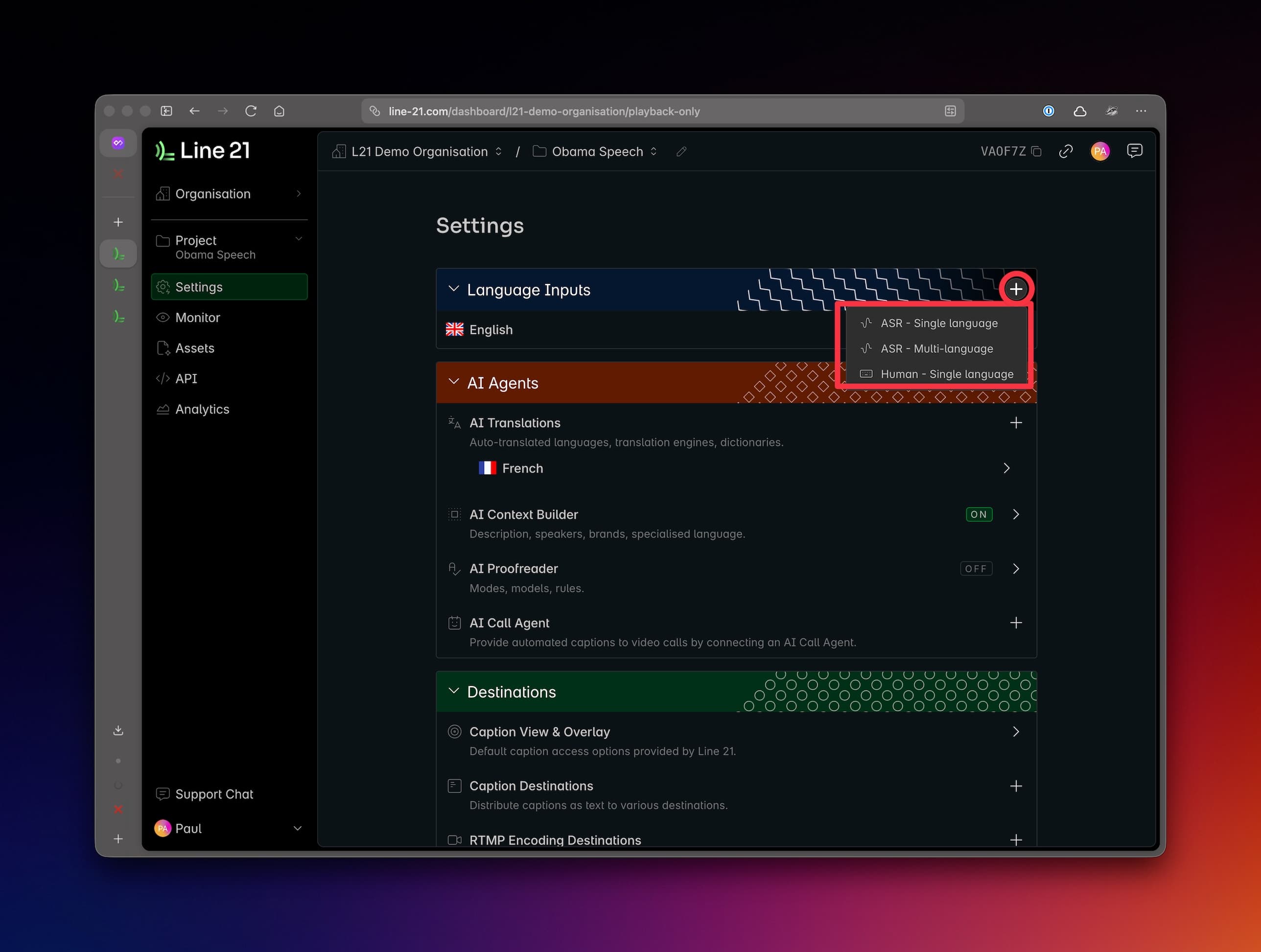
Single language vs Multi-language
Each standard project can define one or more language inputs. Each language input can be either single language or multi-language.
| Input Type | Human Captioning | ASR | Description |
|---|---|---|---|
Single Language | It handles one input language, powered by human captioning or a single-language ASR engine. | ||
Multi-language | It handles multiple input languages with a single multi-language ASR engine that can autodetect the languages. |
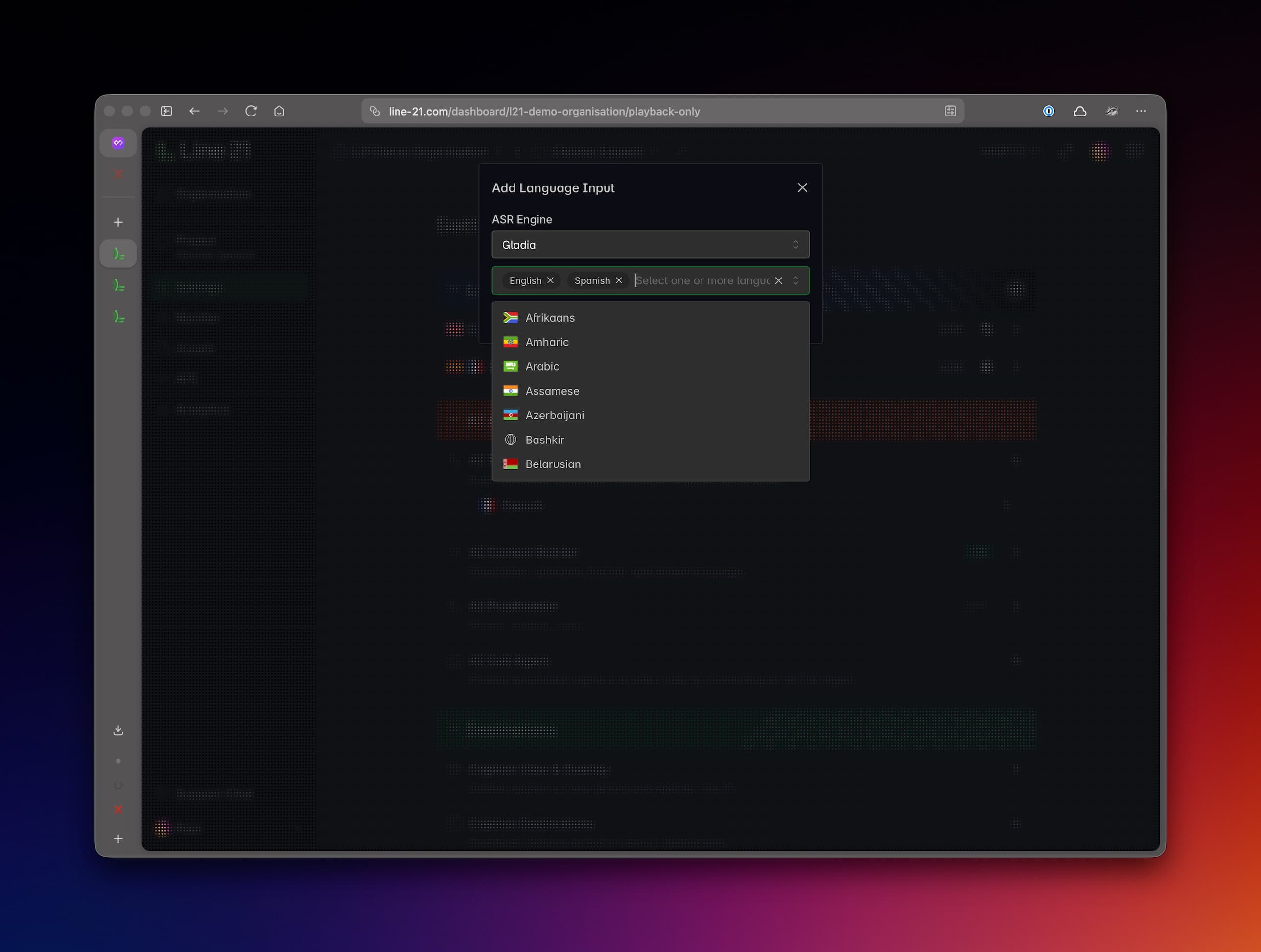
In some cases, you might want to configure a project to support several single-language inputs instead of a multi-language input.
Example 1: a multi-session event with speakers of different languages and with human captioners switching between sessions.
Example 2: you have an event where you need to support several languages that are not, as a group, supported by a multi-language ASR engine, but there are models that support each of these languages individually.
Translations
Another means to define additional languages supported by a project is to add AI Translations. Typically these are different from the input languages (e.g. the input languages are English and Spanish, but you want to add translations for French, German, Italian, etc.).
However, there are important cases where you might want to add as translations the exact same languages as the input languages.
Example: you have an event where spoken languages are English and Spanish. You perform ASR for these two languages but your intention is to provide full English and Spanish captions for the audience. Which means it is not enough to caption, say, in English, just the parts where English is spoken, but you need to also translate the Spanish-language parts into English. Same goes for Spanish. The solution to this is to add the same languages (English and Spanish) as translations as well.
Displaying languages
Once captions and created and translated in a specific language, they become available to be displayed by any desired destination. Most of the destinations support any and all languages. See Supported languages. However, some destinations like RTMP streaming have a limited set of languages they support. See RTMP streaming.