
CART connector
Who is it for?
If you are a professional stenographer, you are likely using dedicated CART software.
The Line 21 App allows you to connect these applications directly to Line 21 in order to produce real-time captions.
While you can still use our Writer web page to create captions, the desktop application offers several advantages. For example, it continues working even when the app is not in focus.
Project Settings
Open the app, enter your Project Code, and click on Connector.
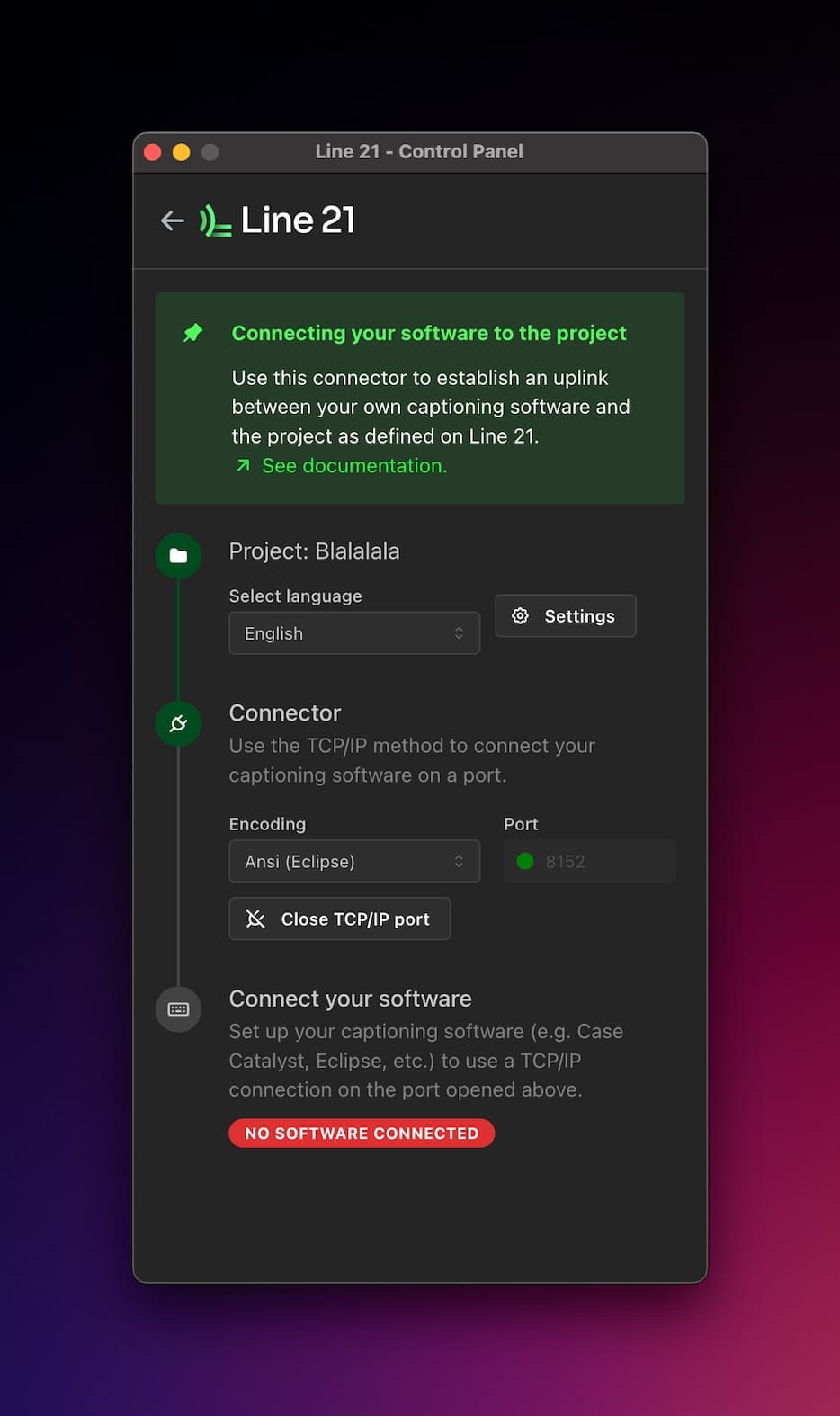
Choose the language you want to caption in, and then select the protocol used by your CART software.
We currently support Eclipse and Catalyst.
Catalyst support is still in beta, so you may encounter some issues. If you do, please report them so we can improve compatibility.
TCP/IP Method
Both supported protocols use TCP/IP as the connection method.
After starting the server in the Line 21 App, configure your CART software to send its output to the same TCP/IP port.
Once the connection is established, the Line 21 App will display a status indicator confirming that your software is connected.