
Assets
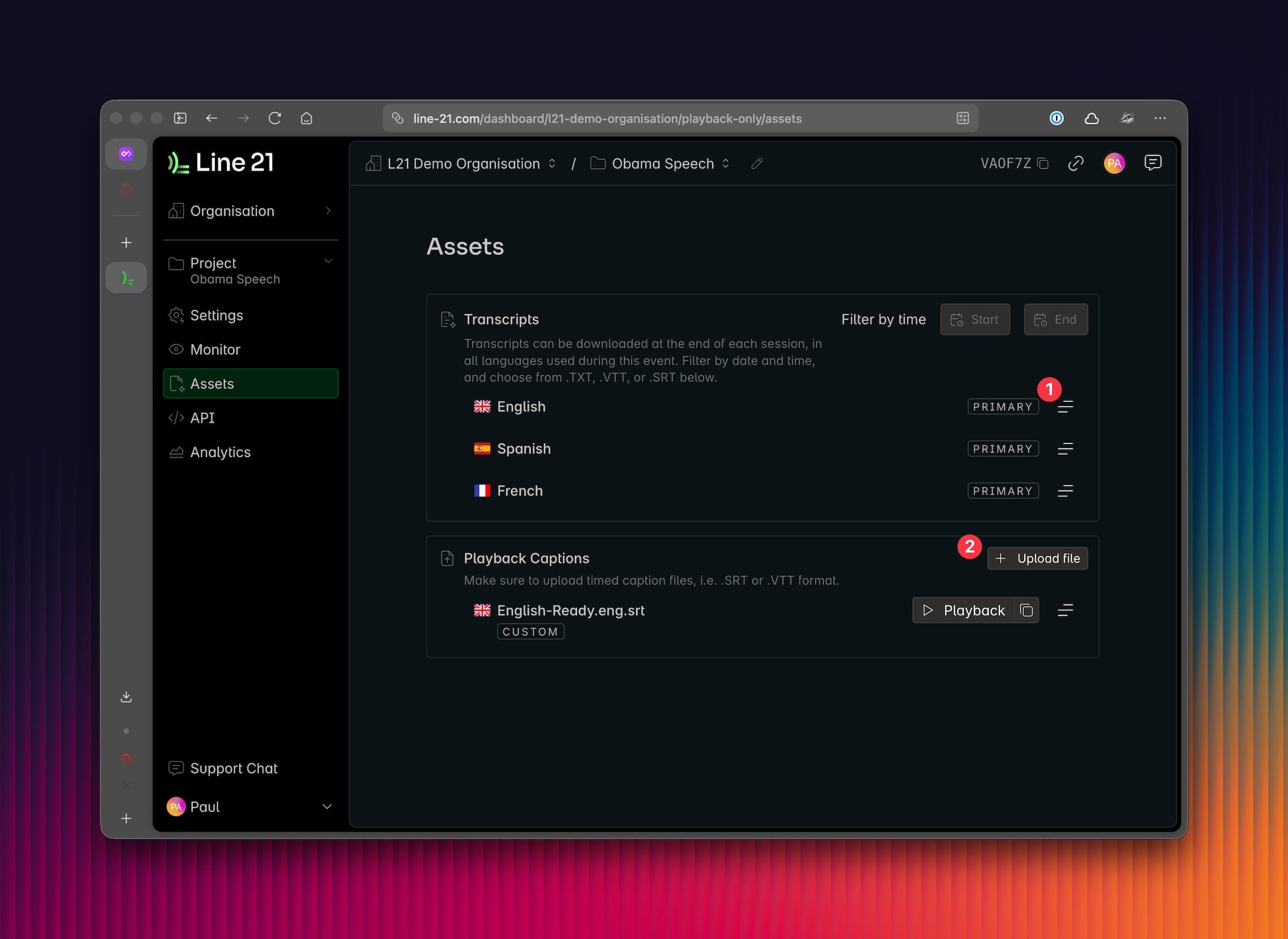
The assets page allows you to manage transcripts and caption files in two different ways:
- Download transcripts from your project sessions.
- Upload caption files for playback.
Transcripts
At any moment, you can download the full transcript for your project. This is a cumulative transcript of every text that was recorded at any point in time during the project's existence. If your project contains multiple sessions, you can filter by date and time to download the transcript for a specific session.
- You can download your file in each language included in active machine translation in the event.
- You can download your file as
.SRT,.VTT, or.TXTformat.
Playback Assets
You can also upload caption files for playback. This is useful if you already have a subtitle file you want to use for your event, or if you want to use a subtitle file from a different source. See our Playback documentation for more information.
Last updated: October 9, 2026 at 10:11 PM