

Monitor
The System Monitor
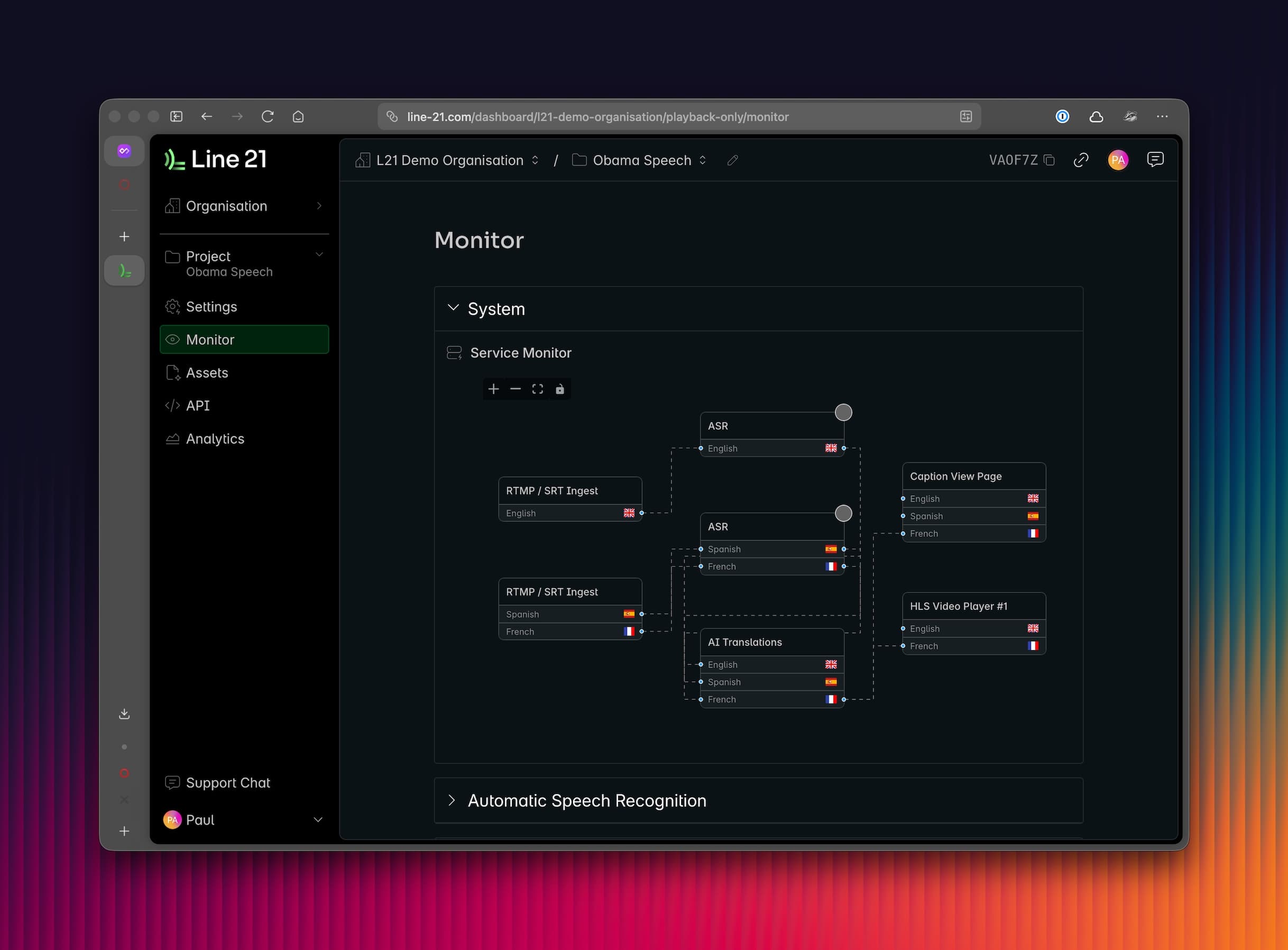
Our System Monitor gives you a real-time visual of our system flow. This is a direct representation of the data flow between the different services and destinations in your project, as per the configuration you have set up. From here you can see the status of all active inputs, AI processes, and outputs.
ASR Connections
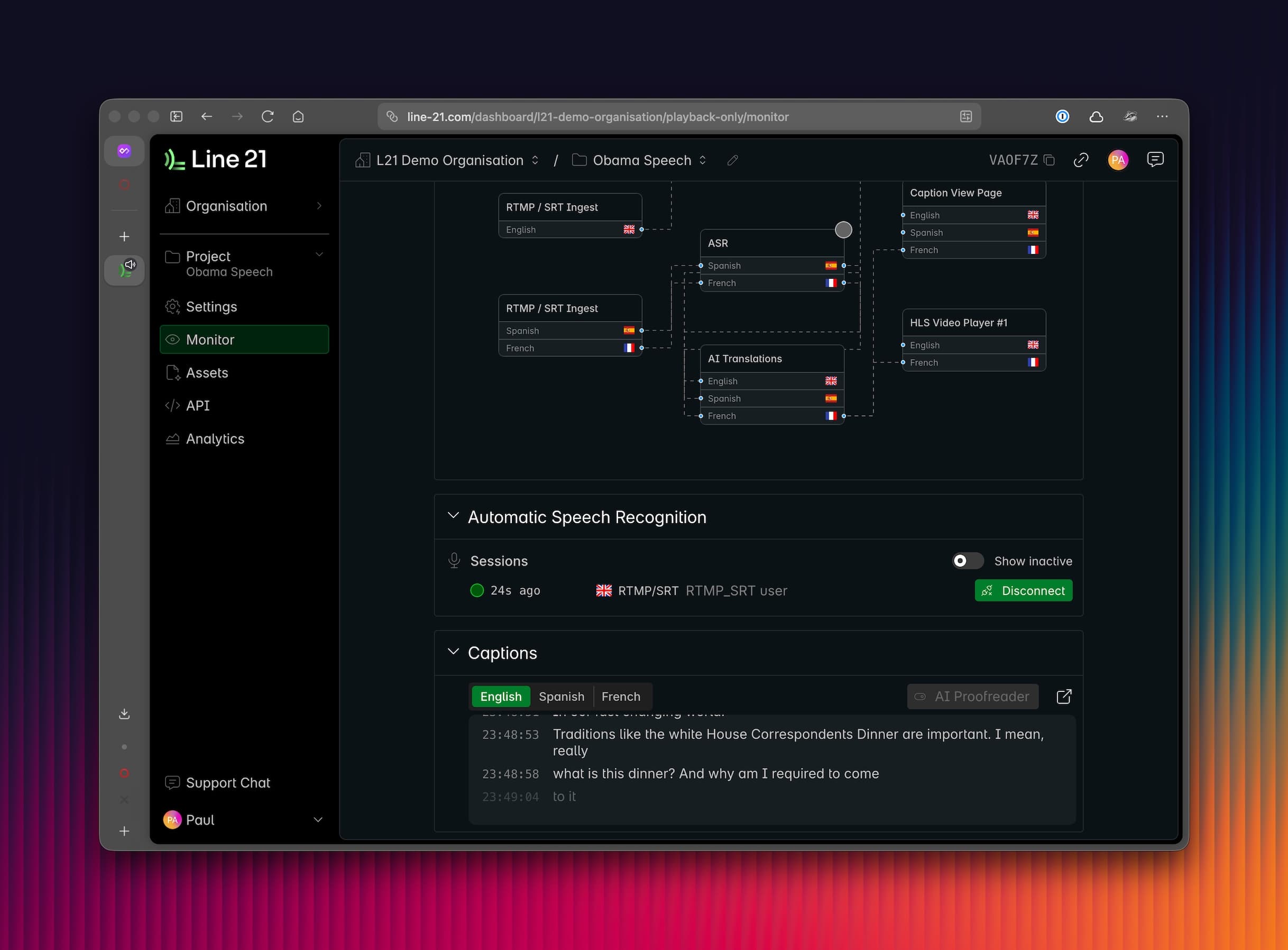
Here you can track:
- All active ASR connections - duration, connection source
- Previous ASR connections (enable "Show inactive" toggle)
This includes different users and sources, so for instance, if you have one user on a web connection and one via App, it will display here. You can also disconnect any running ASR session.
Captions mini monitor
The captioning mini monitor allows you to see the captions flow in real-time, without needing to have a view page open. This page will:
- Show you real-time captions in the language of origin
- Show you real-time translations in the secondary languages
- Show you original text as
partialin italics, before it becomesfinalafter editing and is pushed - Monitor whether the AI Proofreader is active and making corrections
By clicking the arrow at the top right of this section, you can open a new page which is dedicated exclusively to revisions of all types. There, you can contrast the original text with the edited. Great for clients to see how their context held up and the original accuracy!
Video Player monitor
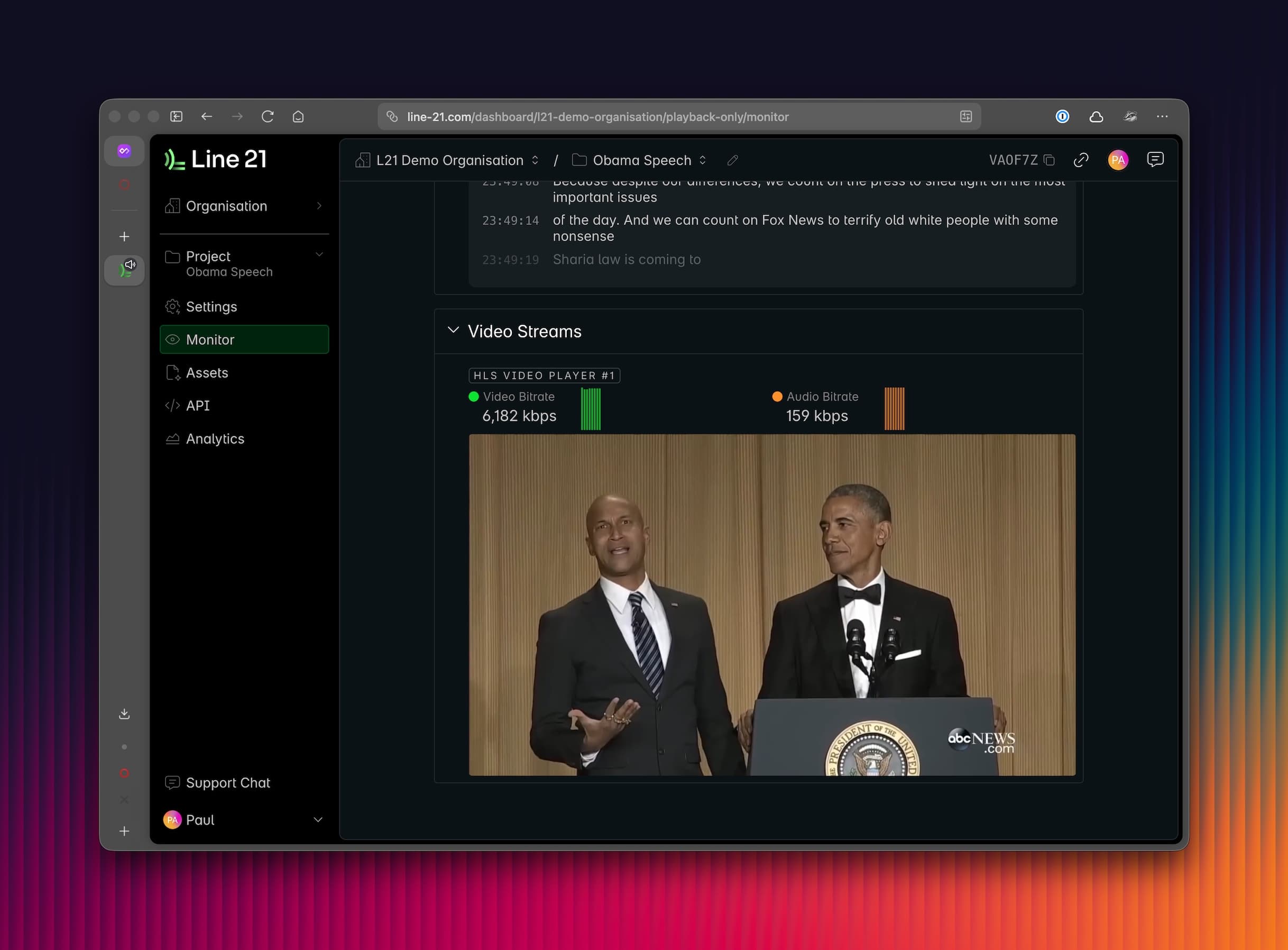
When video destinations are enabled, you can monitor the video stream in real-time. You can see the video as it passes through our platform after any encoding was performed. If a video is present here, you are sure that we receive the video feed and that video encoding is successful.
This will also provide you with connection status information in the livestream, such as the bitrate of the audio and video streams.