

Playlist
A playlist is a specialised project type for mixing pre-recorded and live content. It mantains all relevant functionality of a Standard Project.
Use cases
- A venue showing live sports on a regular schedule, with pre-recorded spots for advertising or different content
- Live tours or talks on a regular loop
- Screenings with post-event Q&A sessions
Captions can be live, or submitted via .srt file for the Line 21 platform to run if you already have a file ready - great for VOD accessibility.
A viewer can scan the playlist QR code and will be able to see when the next scheduled captions will be in the event, and which session is currently live.
Setup
New project
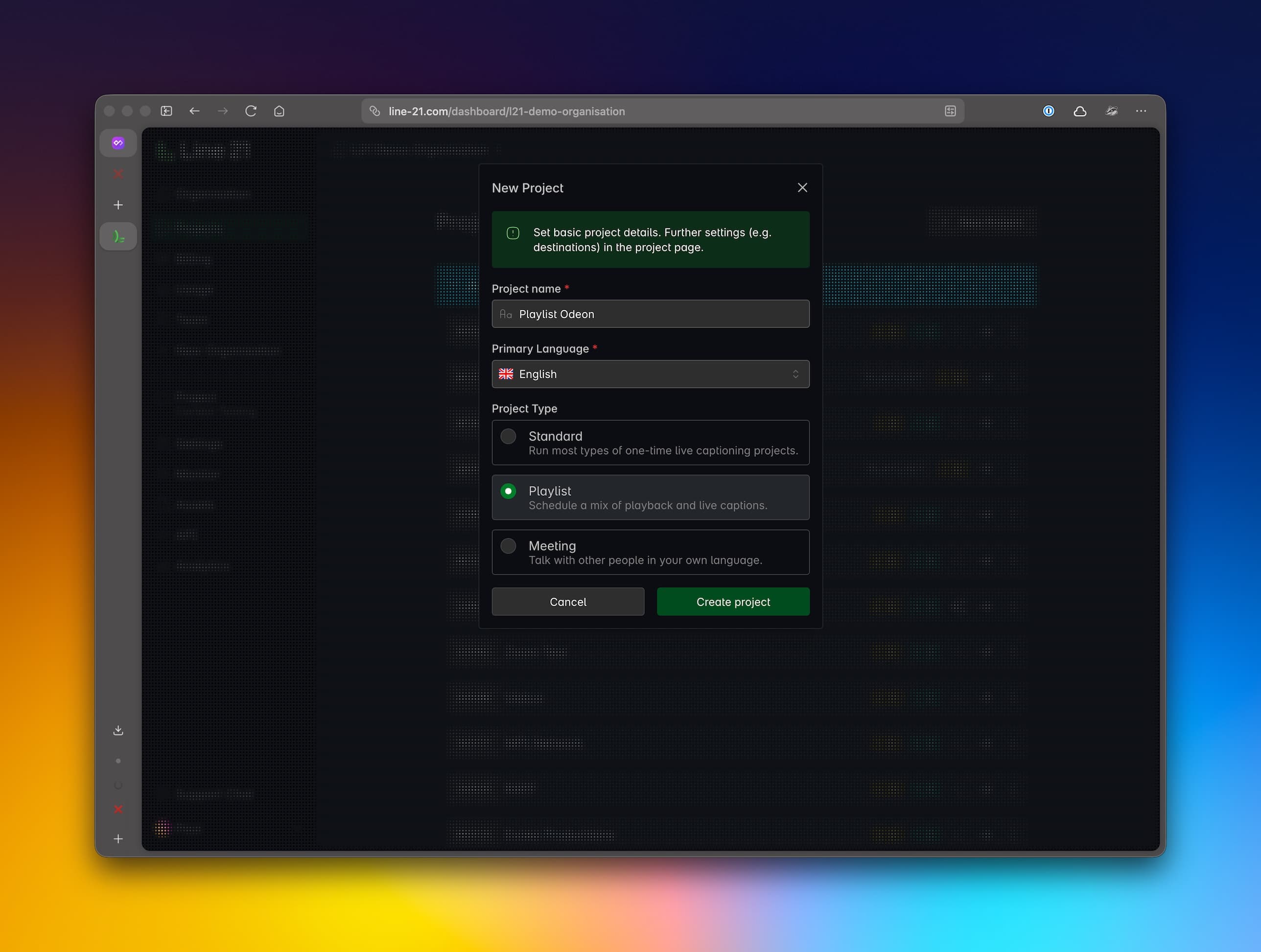
Like a Standard Project, you will:
- Name your project;
- Choose the Primary Language;
- Select
Playlistas the project type.
Settings
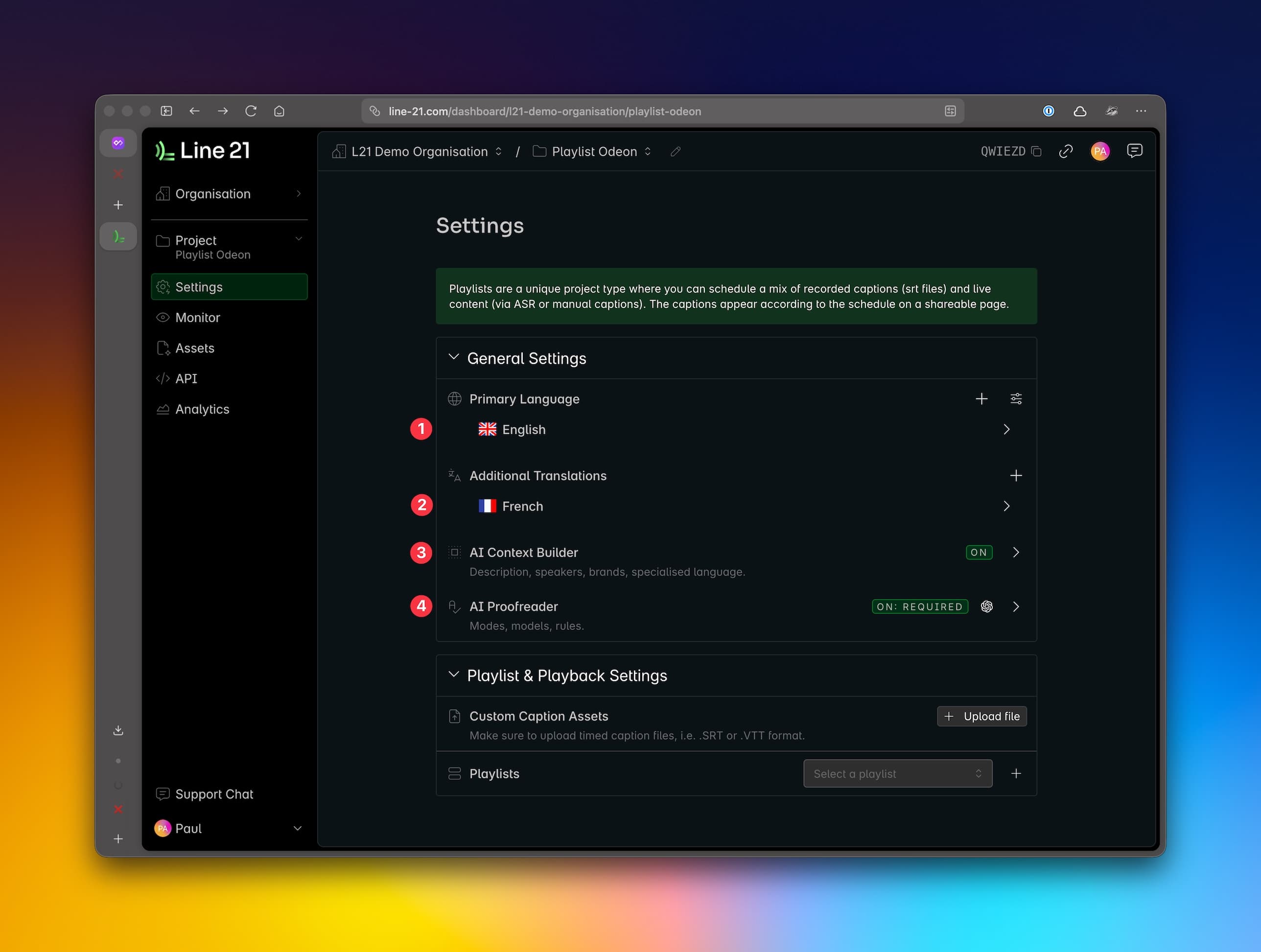
- Edit the Primary Language, including whether it's ASR, or human captioning;
- Select additional languages for Machine Translation, including adding custom dictionary;
- Add context to the AI Context Builder;
- Use the AI Proofreader and configure its rules during your captioning.
Note: Follow the same steps as a Standard Project for connecting to ASR to feed sound directly or through RTMP or SRT.
Playlists
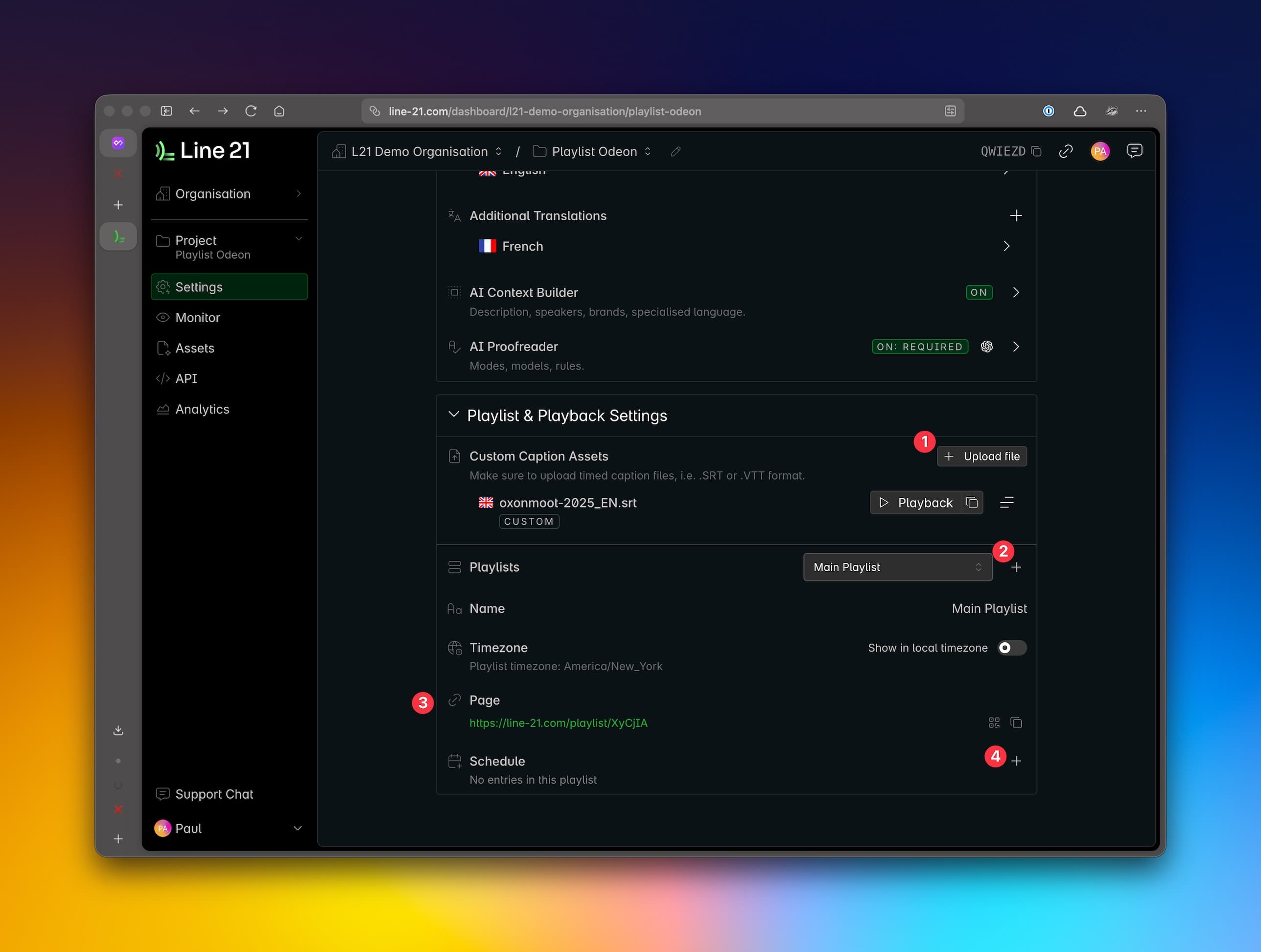
- Add custom caption assets (.srt or .vtt files) to be scheduled in the playlists;
- Add a playlist (name and timezone);
- A viewer page link will be automatically generated for you, including the QR code. Share this with your guests / clients;
- Add entries to the playlist.
Playlist Entries
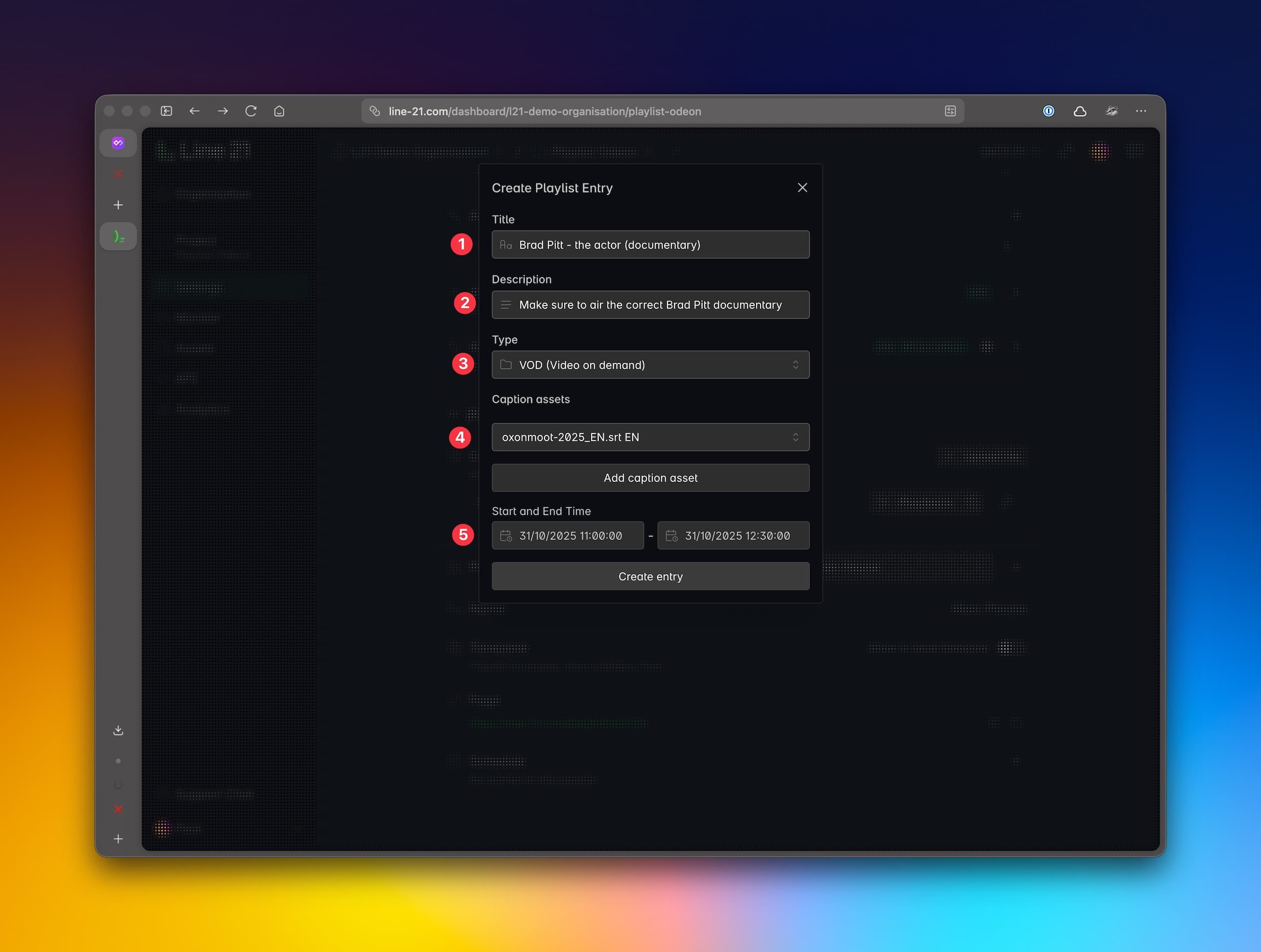
- Title of the entry (visible to viewers);
- Description (not visible to viewers, great for internal notes);
- Type - whether
Live (RTMP / SRT Streaming, orVOD (video of demand); - Link custom caption assets (.srt or .vtt files) to the entry (if VOD entry type);
- Add
Start TimeandEnd Time- this will appear on the Playlist viewer link, and control captions duration;
Repeat the process for each entry you want to add to the playlist.
Note: SRT means two different things - one is the file extension (e.g. my_captions.srt), the other is the protocol for streaming (SRT - Secure Reliable Transport). They are unrelated.
Playlists vs Playback
A Playlist is a type of project that uses a mix of live audio-visual feeds to provide live captions, as well as pre-recorded content. It can generate captions from live content, and also play a subtitle file. It used caption playback functionality to play the subtitle file.
Our Playback feature is a more direct method used to upload third-party (or Line 21) subtitle files and play those captions for your viewers without scheduling them in a playlist.