

HLS streaming
When to use HLS streaming
HLS streaming is the best solution if you want to integrate multiple caption tracks into your video stream and deliver them to your audience in real-time. It takes a RTMP or SRT ingestion and generates an HLS playlist that your audience can watch in a number of ways.
Advantages:
- Multiple caption tracks
- Syncronize captions with the video stream
- Embeddable in any webpage (our player or your own)
- Accepts incoming RTMP or SRT streams
- Scalable to any number of viewers due to CDN caching
Supported languages
The HLS streaming destination can display all languages supported by Line 21 as a source.
Prerequisites
- Set up a RTMP or SRT ingestion
- Enable an ASR engine to generate captions (optional)
Setup
Multiple languages
An HLS video stream can include one or multiple caption tracks. This allows you to provide:
- captions for the video's original language
- additional tracks for any translations you configure
All tracks are accessible from the video player's settings menu as native captions (no side-loading).
Captions delay
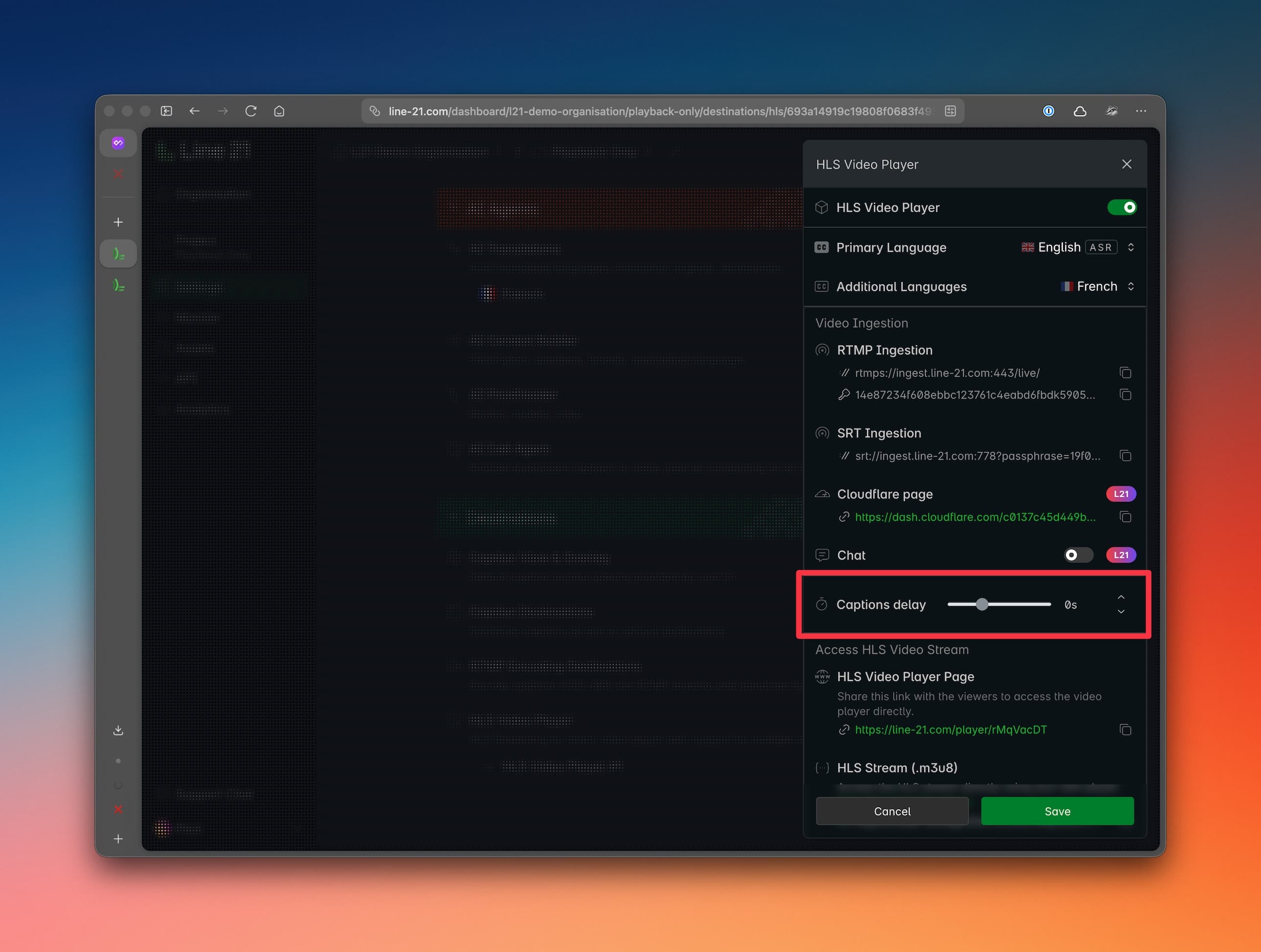
The captions are usually synced with the video stream.
However, should a drift occur, you can adjust the captions delay to synchronize them with the video stream. This can happen with ASR and especially with manually produced captions.
Our interface allows you to delay or advance the caption stream to fine-tune synchronization.
Access HLS stream
After creating an HLS destination, we provide the video output in several formats.
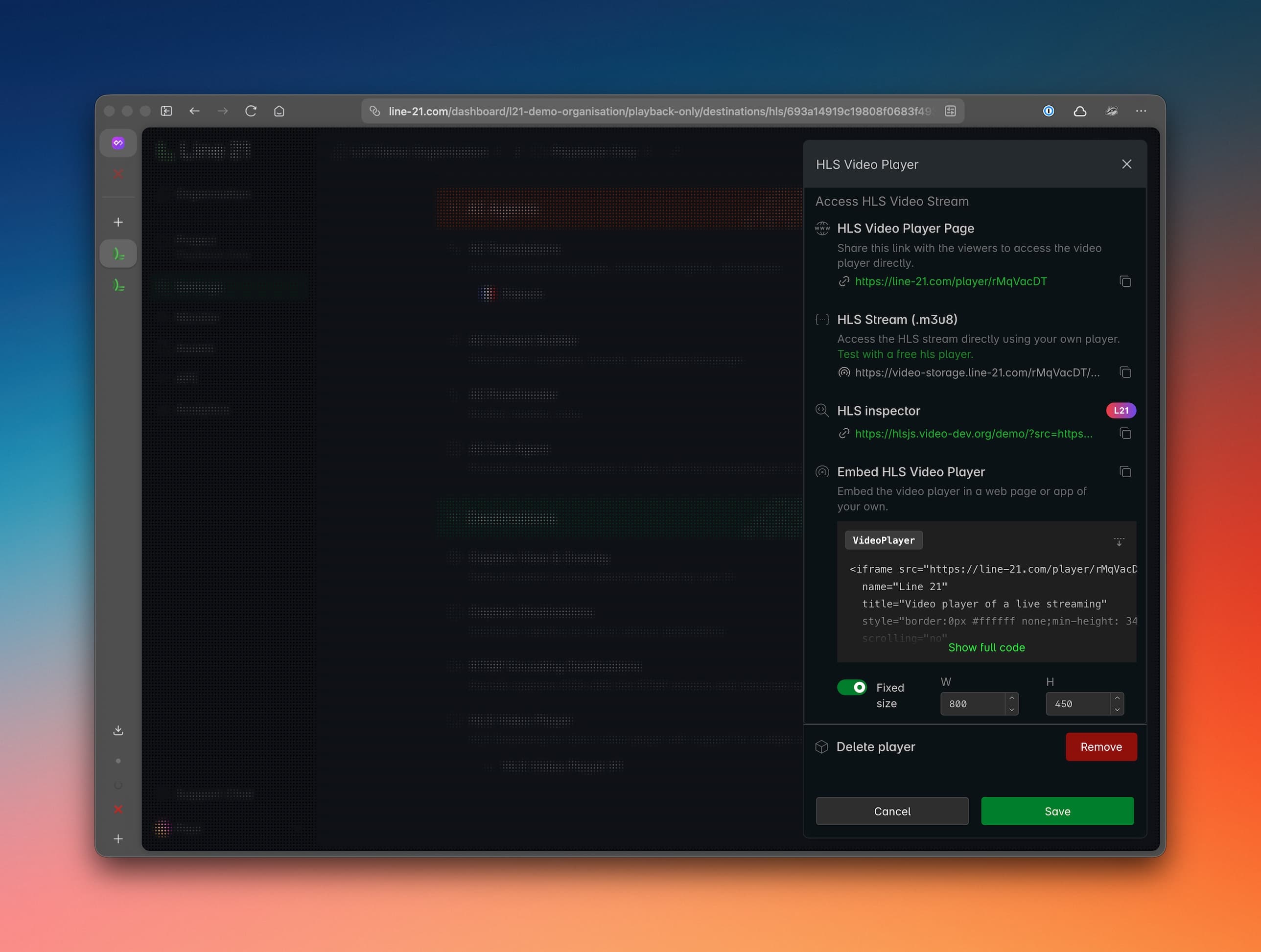
HLS stream URL
You receive the raw HLS playlist URL (.m3u8), which can be used with any compatible player such as:
This option gives you maximum flexibility for custom integrations.
Player embed
You can also use our built-in video player.
From the HLS destination page, copy the embed code and paste the iframe into your webpage.
Hosted player page
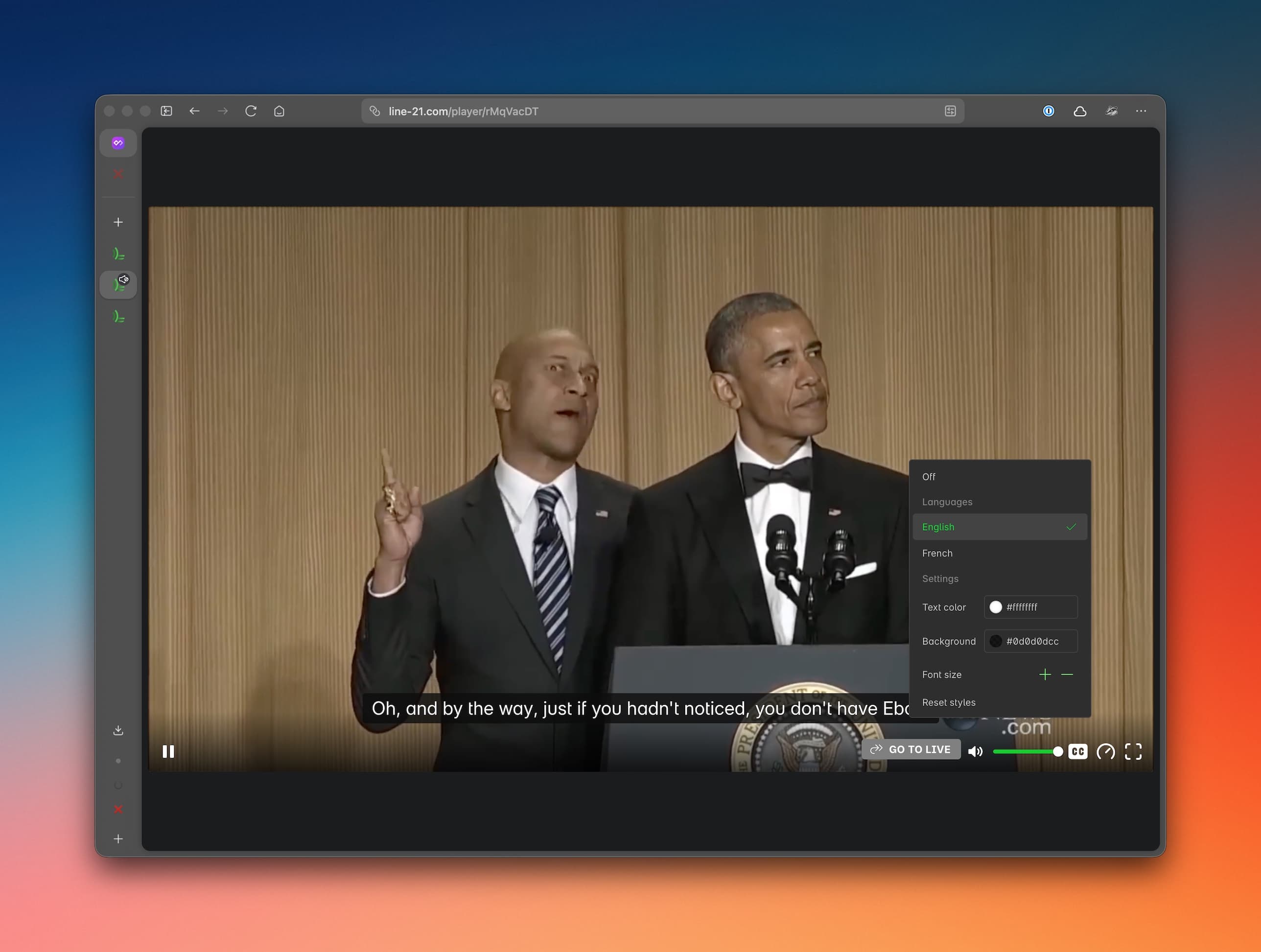
For the fastest setup, we provide a hosted viewer page containing:
- the video player
- optional chat
Just share the URL with your audience — no integration required.